delta

Agent-first theme framework

The agent-first theme interface

Describe what you want. Your agent designs, builds, and runs the whole site in plain HTML, CSS, and JavaScript — through any MCP client or a chat that lives on the page itself.

section.pricing Highlight the pricing section Adding an accent border and badge to section.pricing: Approve section.pricing

Capabilities

The theme builder without the builder

There is no canvas and there are no builder UI controls. You describe the change, and the agent applies it to your website.

01 / The editor

Build using Native HTML, CSS and JS

You click an element to add it to the conversation context, edit text directly on the page, and attach files for use as content.

  • The agent sees the current page, the design system, and the site skills — not just your message.
  • Changes render where visitors will see them, not in a preview mode.
  • Works alongside any MCP client. The panel and an external client operate on the same ability surface.
<header> <h1>…</h1> <p>…</p> <a class="btn"> </header> <section class="cards"> <article>…</article> <article>…</article> </section> <section class="intro"> <p>…</p> </section> <footer>…</footer>

02 / Site management

A unified tool surface for the whole site

Delta is not limited to page layouts. The agent works through one ability surface that covers most admin tasks: templates, custom post types and fields, views with display conditions, menus, media, fonts, and settings. All output is plain HTML, CSS, and JavaScript — readable, portable files. If you stop using Delta, you keep a working site.

  • The surface is discoverable: agents list what is available at session start, so new abilities appear without reconfiguration.
  • Guardrails gate destructive actions and changes to primary guidelines.
  • The agent verifies each write by reading it back — it does not assume success.

03 / The design system

Simple token architecture to build your own design system

Delta ships with a seed design system: primitive tokens and semantic color roles. The agent adapts the seed per site — palette, type, spacing — and every value becomes a CSS variable. A token change applies across the whole site, which makes retheming and dark mode practical without editing pages.

  • Every write to the system creates a snapshot. Restores are themselves reversible.
  • The token file documents itself: usage notes and accepted formats are stored inline, so any agent reads the rules with the values.
  • The full system downloads as a zip — a folder of files, not a database export.

04 / Icon sets

Built-in icon manager. Import sets or create your own.

Instantly import premade icon sets — Tabler, Feather, Heroicons, Lucide and more — from a curated catalog. Installed sets become part of the agent's vocabulary: ask for an icon by name and it places the SVG inline, no icon fonts, no external requests.

  • One-click install, per-site. Only the icons you use ship to the frontend.
  • Upload your own: create a custom pack from your SVG files and it works the same way.

Client feedback

Share scoped AI connectors to clients

01

Create Custom Connector

The admin generates a scoped link and sends it to the client.

02

Client lands on the page

The same agent chat UI opens on the live site — nothing to install.

03

Agent handles requests

Files and requests go through chat, with basic privileges only.

WooCommerce integration

Build complete WooCommerce Stores

Delta builds the full WooCommerce surface — shop, product pages, cart, checkout, and account — as ordinary theme templates. The agent writes them in HTML and CSS against your design system tokens, so store pages match the rest of the site instead of fighting plugin defaults.

  • Product, archive, cart, and checkout templates are files you can read and edit.
  • Store data stays in Woo — Delta only owns the presentation layer.
  • Design tokens apply to store pages too, so a retheme covers the shop.
Single Product Product Archive Cart Checkout My Account Shop

Roadmap

Long-horizon Roadmap

  1. HTML static website generator

    The vision: export the whole site as static HTML — no WordPress required to serve it.

  2. Integrations with the most popular plugins

  3. Library of site prompts

    One-shot websites from a single curated prompt.

  4. Theme style presets

  5. Multilingual sites

    The agent translates and maintains language variants of pages.

  6. Scheduled tasks

    Recurring agent jobs: content audits, link checks, seasonal updates.

  7. Form builder

  8. WooCommerce support

    Products, catalogs and checkout pages managed through the agent.

At a glance

Everything a theme needs

Any MCP client

Works with any MCP AI client — Claude, ChatGPT, Cursor, or your own.

Full theme coverage

CPT support, theme templates, headers, footers and more.

Plain web output

Built with HTML, CSS and JS — readable, portable files.

Bring your own CSS Framework

Bring your own CSS framework (ACSS, Core etc), or use Delta's in-house architecture

Fonts & icons

A built-in font manager and icon library the agent draws from.

Generated with Delta

Built by Delta Agent

Real sites, designed and built by an agent from a description — each with its own design system, adapted from the Delta seed.

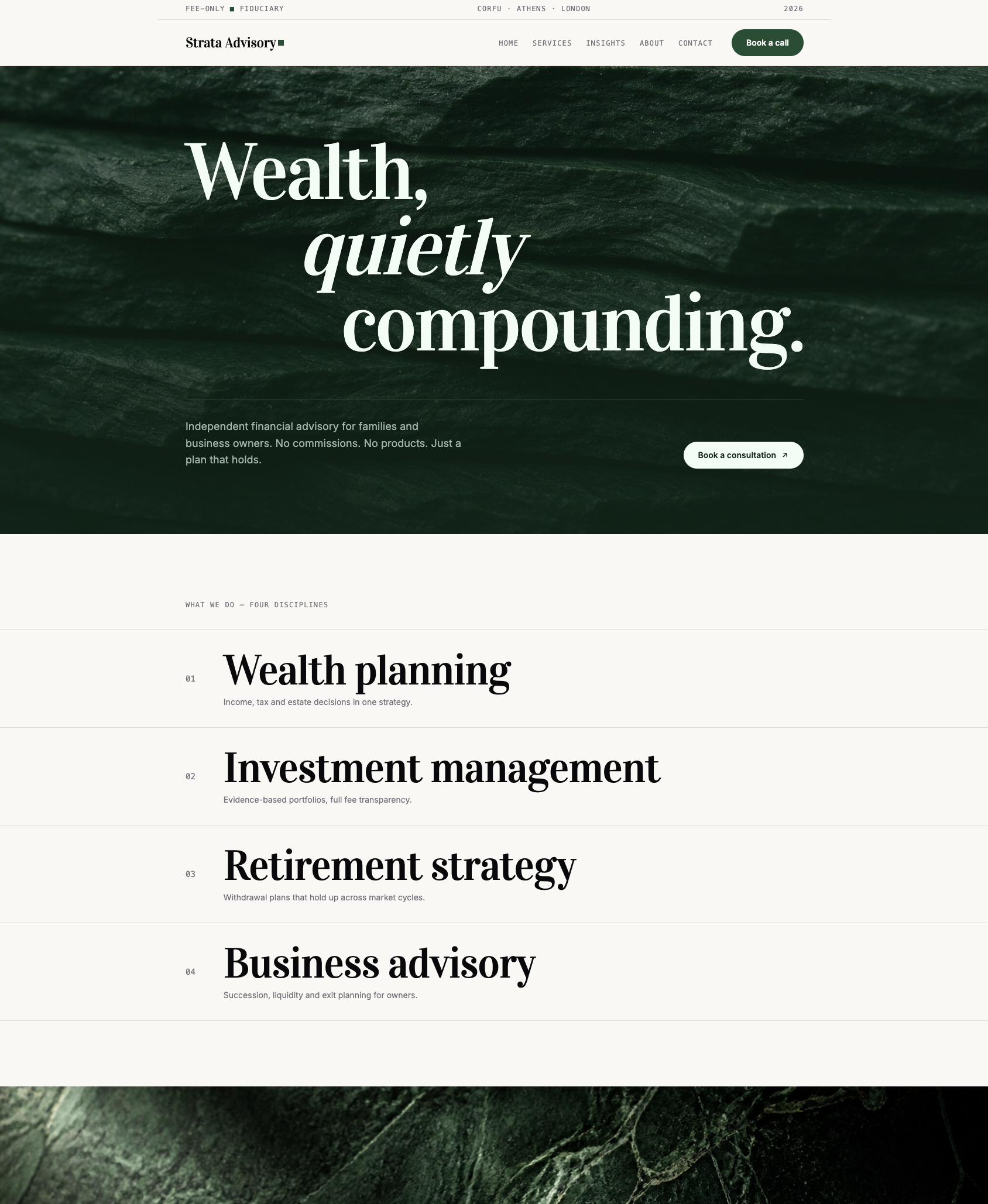
Strata Advisory — a financial advisory site with serif display type on deep green stone imagery, generated with Delta
Strata Advisory — "quiet, editorial, fee-only fiduciary"
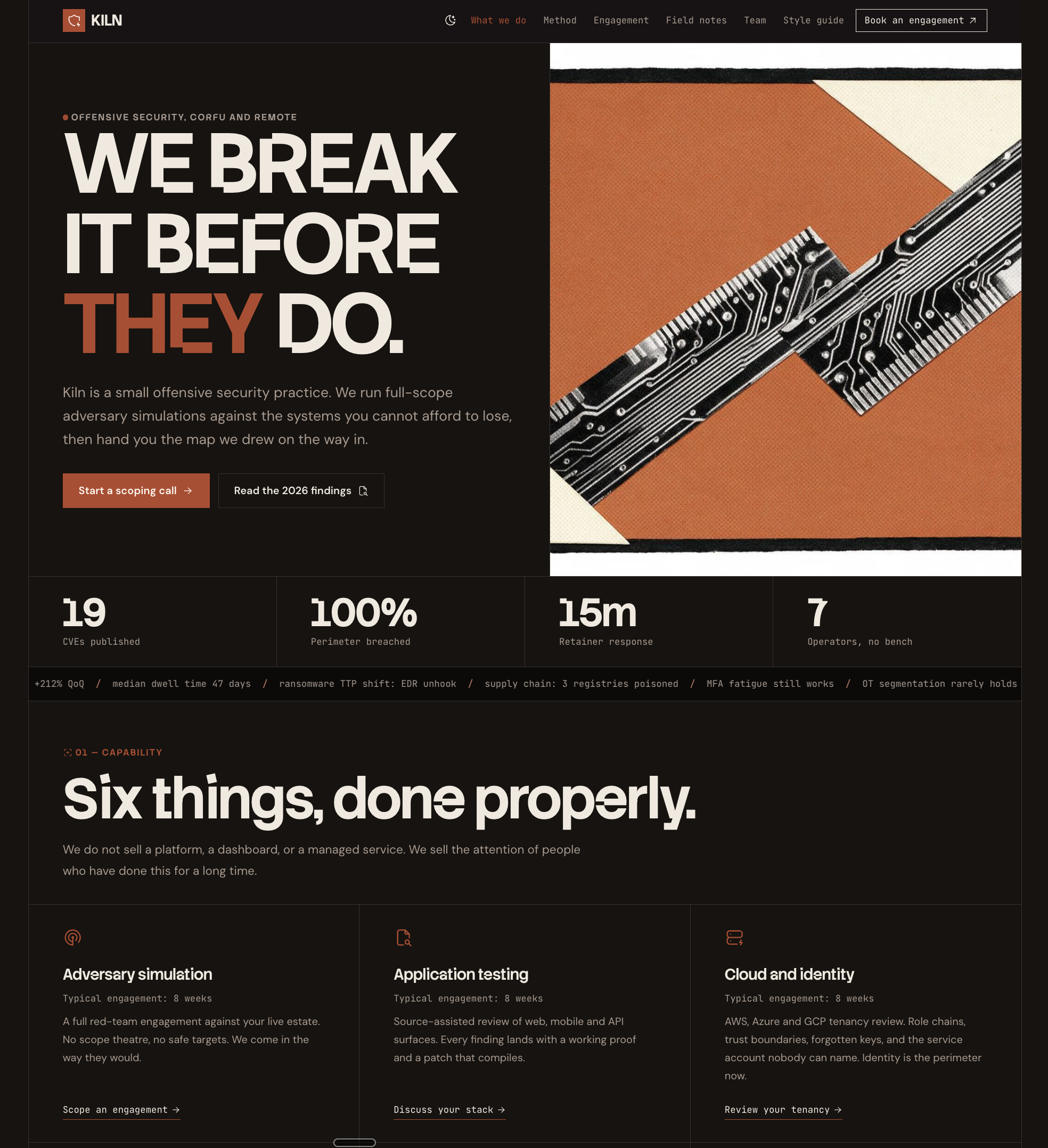
Kiln — an offensive security site with bold condensed type and orange circuit-board collage, generated with Delta
Kiln — "brutalist, offensive security, print-collage energy"

Extensions

Extend delta with in-house tools

Extensions add abilities and skills to the surface. The agent discovers them at session start — no configuration, no page builder add-ons.

Ready-made sites

task-board.skill

Collects feedback and logs from client sessions into a list or kanban board.

Agentic SEO

seo.skill

llms.txt, site and page titles, meta — a basic SEO suite built for agents.

Forms

forms.skill

A little plugin for basic forms — validation, storage, notifications.

Font & Icon library

icons.skill

Create and maintain SVG icon libraries the agent draws from.

Integrations

Works with the plugins you already use

Commerce, forms, and custom fields stay with the plugins that own them. The agent installs the plugin, wires it into your templates, and gets out of the way — and it re-reads what is active at the start of every session, so a plugin you add later just shows up.

  • WooCommerce
  • Contact Form 7
  • ACF
  • WPForms
  • Secure Custom Fields
  • Pods

Also: Gravity Forms, Fluent Forms, Forminator, Ninja Forms, CPT UI, Meta Box, and WooCommerce extensions — sixteen integrations today.

Pricing

One deal. Every site you run.

Single site

$99once

One site. Pay once, keep it forever.

  • One site, personal or client
  • All future updates included
  • Bring your own agent — works with any MCP client
Get the single-site license

Upgrade to unlimited any time — pay the difference.

FAQ

Questions, answered

Do I need my own AI subscription?

Delta connects to the agent you already use. Work through any MCP client, or use the on-page chat panel with your own API key. There is no per-seat AI fee from us.

What happens if I stop using Delta?

You keep a working site. Everything Delta produces is plain HTML, CSS, and JavaScript in readable, portable files — no proprietary shortcodes, no builder lock-in.

Does the lifetime deal really cover unlimited sites?

Yes. One license, unlimited installs — your own sites and client sites. The early bird price is $199 and applies for a limited time during launch.

Can clients break the site through the editor?

Client links are scoped to content only — text, images, files. Structure, design system, and settings are out of reach, and guardrails gate destructive actions for everyone.

Which WordPress setups are supported?

Delta is a standard WordPress theme. It runs on any modern WordPress install and coexists with your existing plugins.